Payment Processors Explained: How to Choose the Right One

What Are Payment Processors?
Payment processors move payment data between customers, businesses, and banks. They act as a trusted middle layer during electronic payments.
What are payment processors responsible for? They send payment requests, seek bank approval, and help settle approved funds.
What do payment processors do after a sale? They protect data, screen for fraud, track payment records, and support refunds.
- Payment gateway: This sends payment details from your checkout.
- Payment processor: This moves payment data between banks and payment networks.
- Merchant account: This account receives card funds for your business.
Examples of payment systems include card payments, bank transfers, mobile wallets, and recurring billing.
Payment processors companies may serve shops, platforms, charities, or high-risk firms. Your business model should guide your choice.
How Do Payment Processors Work?
A payment starts when a customer enters details at checkout. The gateway sends those details through a secure connection.
The processor sends the request to the card network and customer bank. The bank checks the account, card, and available funds.
The bank then approves or rejects the payment. An approved payment moves into settlement, which sends funds to your business bank.
Settlement often takes one to three business days. Timing depends on the provider, payment method, and account review.
Rejected payments can result from low funds, expired cards, or wrong billing details. Show customers a clear next step.
| Stage | What happens |
|---|---|
| Checkout | The customer enters payment details. |
| Approval | The bank accepts or rejects the request. |
| Settlement | Approved funds move to your bank. |
| Records | The processor logs sales, refunds, and fees. |

Key Functions of Payment Processors
Payment processors handle more than payment routing. They help keep payments safe and give teams useful records.
- Approval checks: The processor confirms that the bank accepts each payment.
- Data security: It encrypts sensitive data during the payment flow.
- Fraud checks: It reviews device, location, order size, and repeat attempts.
- Payment records: Reports show sales, refunds, fees, and failed payments.
- Chargeback help: Tools help track disputed card payments.
- Currency support: Some providers support local currencies and payment methods.
Fraud tools may score a payment before approval. They can flag odd order sizes or repeat attempts.
Good rules block risk without turning away too many real buyers. Review false declines each month.
Reports also help with daily cash checks. Your team can match orders with bank deposits and processor records.
Choose exports that work with your accounting tools. Strong records make refunds, tax work, and audits easier.
How to Compare Payment Processors
Start with your payment needs, not a provider’s feature list. Write down sales channels, order value, and target markets.
Then build a payment processors comparison using the same tests for every provider. This makes hidden gaps easier to spot.
- Fees: Check per-payment, monthly, refund, payout, and chargeback fees.
- Payment methods: Check cards, bank payments, wallets, and local options.
- Security: Review encryption, fraud tools, access controls, and audit reports.
- Integration: Check plugins, APIs, webhooks, and setup work.
- Payouts: Confirm timing, reserve rules, and supported bank accounts.
- Support: Test response times before signing a long contract.
Some buyers search for payment processors $29 a month. A low monthly price does not show the full cost.
For example, compare 1,000 payments worth $50 each. Add monthly fees, refunds, chargebacks, and payout costs.
A ready plugin may suit a small shop. A growing platform may need custom payment gateway integration.
Ask each company about holds, account reviews, and restricted products. Get key answers in writing.

Payment Processors for Nonprofits and Bills
Nonprofits often need low-cost tools for donations and recurring gifts. They also need clear records for finance teams.
Nonprofit payment processing should support one-time and monthly donations. It should also offer donor receipts and campaign links.
Some nonprofit payment processors offer lower rates or special plans. Ask if donors can cover fees during checkout.
- Recurring donations with easy pause and cancel controls
- Mobile-friendly donation pages
- Donor receipts and data exports
- Clear refund and dispute tools
- Reports that match bank deposits
Bill payment processors serve a related need. They can support rent, dues, invoices, subscriptions, and other repeat bills.
Check whether the tool supports reminders and failed payment retries. These features can improve cash flow without extra staff work.
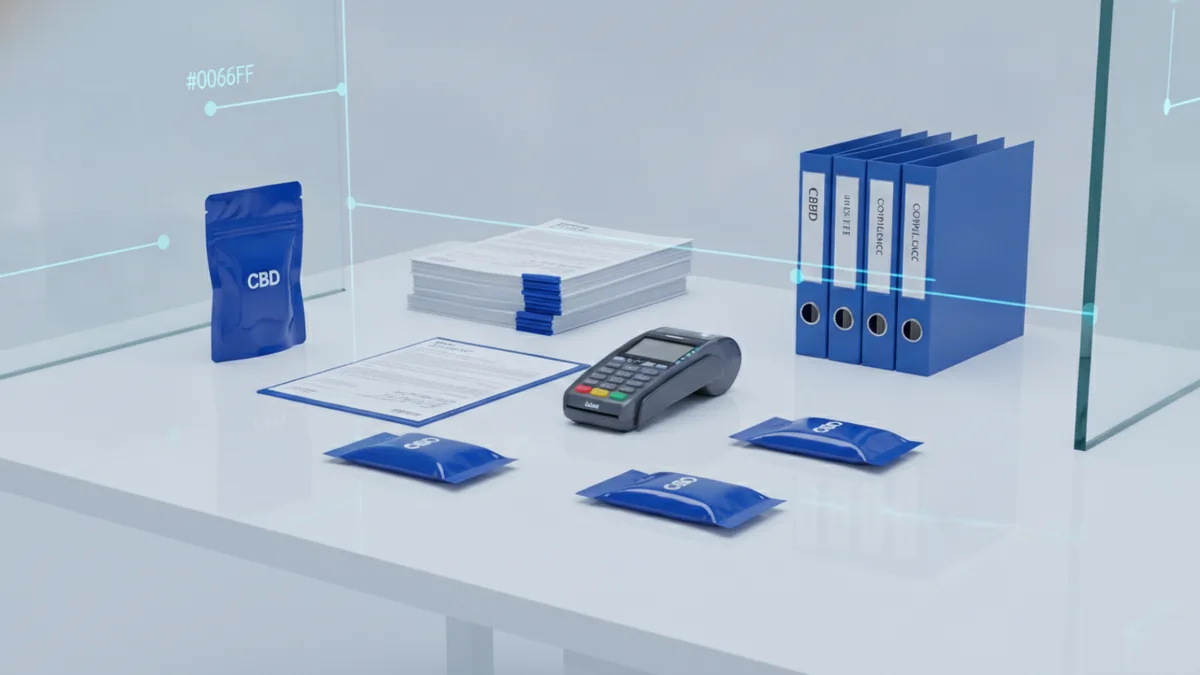
Payment Processors for CBD Businesses
CBD sellers face extra checks because product rules vary by place. A provider may review products, labels, suppliers, and sales areas.
Payment processors that allow CBD may still limit certain products. They may also set higher fees or hold a reserve.
Look for CBD friendly payment processors with clear underwriting rules. Ask what documents the provider needs before approval.
- Product test reports from trusted labs
- Supplier and inventory records
- Proof of lawful product sales
- Clear refund and shipping rules
- A plan for chargeback management
AML requirements for payment processors can add more checks. AML means anti-money laundering, which helps firms spot illegal funds.
Do not hide your product type during an application. A later review can freeze funds or close the account.
Rules can change by location and product type. The FDA’s CBD guidance explains key federal limits and open issues.
Ask a lawyer about local rules before launch. A processor cannot make an unlawful sale lawful.
Top Payment Processors in the USA
Payment processors in USA markets vary by size, risk policy, and sales channel. The best fit depends on your products and customers.
Many US payment processors support cards, wallets, invoices, and recurring payments. Some focus on shops, while others serve platforms or large firms.
Leading payment processors often offer strong tools and broad coverage. They may also have stricter reviews, longer contracts, or higher fees.
Payment processors like Square may suit small sellers who want a fast setup. Larger firms may need custom controls, account teams, and global payouts.
- Small retail: Look for simple setup, clear rates, and in-person tools.
- Online stores: Check checkout tools, wallets, refunds, and fraud controls.
- Platforms: Check seller onboarding, split payouts, and account controls.
- Nonprofits: Check donor tools, recurring gifts, and fee relief.
- CBD sellers: Check product rules, reserves, and review steps.
A list of payment processors can help start research. It cannot replace a cost and risk review.
Country needs also matter. Brazil payment processors may support local bank methods and local currency.
Payment processors India may support local transfers and rules for Indian sellers. Confirm payout access before choosing a foreign provider.
Regional fit affects approval rates, settlement time, taxes, and support. Pick a provider that serves your buyers and bank account.
A Practical Selection Checklist
Build a short list of three to five providers. Test each one against your real sales numbers and risk profile.
- List every payment method your customers use.
- Estimate monthly sales, refunds, and chargebacks.
- Ask about fees, reserves, payout timing, and account holds.
- Test checkout speed and mobile payment flow.
- Review fraud tools and account access controls.
- Confirm support hours and escalation paths.
- Read exit terms before signing.
Keep a record of each answer. A written scorecard reduces bias during the final choice.
Start with a small launch when possible. Watch approval rates, failed payments, payout timing, and support quality.
Review the account after thirty days. A provider that looks cheap may cost more after real use.
The right processor should fit your customers, products, tools, and cash needs. Strong payment operations support growth without adding needless risk.
Frequently asked questions
What are payment processors?
Payment processors move payment data between customers, businesses, banks, and payment networks. They seek approval, protect data, settle funds, and track payment records.
What do payment processors do?
They route payment requests, seek bank approval, screen for fraud, settle funds, and support refunds. They also provide reports for sales and fees.
How do I choose the best online payment processors?
Compare fees, payment methods, security tools, payout timing, integration, support, and product rules. Test each provider with your real sales numbers.
Which payment processors allow CBD?
Some providers support CBD sales after a risk review. Ask about product limits, documents, reserves, fees, and account holds before applying.
What should nonprofits look for in payment processing?
Nonprofits need donation pages, recurring gifts, donor receipts, data exports, and clear fee plans. Some nonprofit payment processors offer lower rates.
Are payment processors $29 a month really cheaper?
A monthly fee shows only one part of the cost. Add per-payment fees, refunds, chargebacks, currency fees, and payout charges.