Credit Card Payment Systems: Types, How They Work, and What to Choose

Introduction to credit card payment systems
Credit card payment systems help you take card payments from checkout to bank payout. They move payment data between your shop, a processor, and card networks. The best setup depends on where you sell and how your checkout works.
Card payment systems include both tech and services. Your setup can be for stores, for apps, or for both. Digital credit card payment systems also need strong security and fraud prevention.
If you accept contactless payments, the system must match your readers. It should also support PCI compliance to reduce card data risk. You will learn the parts, the transaction steps, and what to ask vendors.
Key components of payment processing
Most card payment systems include several layers working in sync. A weak layer can slow checkout or raise declines. It can also make fraud risk harder to manage.
You will usually see these parts in credit card payment systems:
- Checkout front-end like point of sale systems or a website checkout
- Card reader or checkout app for tap, dip, or swipe payments
- Payment gateway that routes payment requests to the processor
- Processor and merchant services that handle approval and fund flow
- Card networks that connect issuers and acquirers
- Security tools like encryption and token use for PCI compliance
Some setups add reporting and refund tools. Others focus on quick steps for staff. If you need integration capabilities, ask for clean APIs and clear webhooks.
You may also need multi-currency processing for global sales. That affects your gateway choice and your fee plan. Plan for how you handle sales, voids, and returns.
How credit card transaction processing works
Card payment systems follow a known flow with clear goals. The steps are authorization, authentication, clearing, and settlement. Each step has its own timing and controls.
Authorization happens when you ask for an approval at checkout. Your processor sends the request to the issuing bank. The reply decides if the sale can proceed.
Authentication checks the cardholder method used. For chip and reader use, smart card payment system flows help verify card data. For online sales, the checks may include stronger rules.
Clearing gathers approved sales for later exchange. This is often done in batches after checkout. It is how the system sets up final message routes.
Settlement moves the approved money to your account. Timing varies by bank and processor rules. Your payout report usually matches settled totals.
Here is the flow at a glance:
| Stage | What happens | When it usually lands |
|---|---|---|
| Authorization | Processor asks the issuing bank for approval | Seconds |
| Authentication | Checks cardholder and payment method signals | During checkout |
| Clearing | Batches approved sales for exchange | Same or next day |
| Settlement | Funds move to your merchant account | Later business days |
For digital credit card payment systems, you must protect data in transit. You should also use token use instead of storing card data. That reduces PCI scope and helps fraud prevention work better.
Types of credit card payment systems
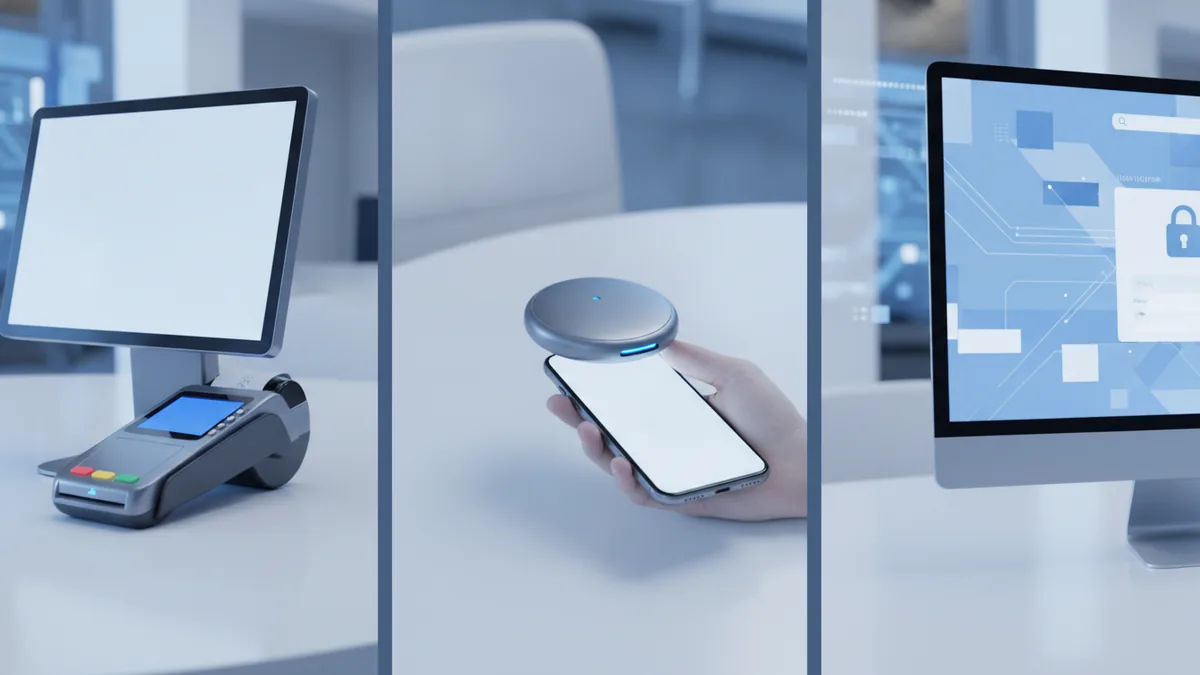
You can sort credit card payment systems by where they run and how they fit your checkout. The main types are POS systems, mobile card readers, online payment gateways, and virtual terminals. Some firms offer one platform for all channels.
POS-based payment systems
Point of sale systems handle in-store checkout with a terminal and reader. A sale data packet goes from the terminal to the processor for approval. Many POS systems also support contactless payments.
This type works best when you need fast lines and simple staff use. It also helps when you want set reports per store. For multi-site ops, you want one view of sales and payouts.
Mobile card readers
Mobile readers let staff take payments on a phone or tablet. They fit table service, events, and job sites. The reader sends data through a processor for approval.
You get more checkout flexibility with this setup. You should also test how it behaves with weak signal. Good fraud prevention matters for on-the-go use.
Online payment gateways
Online payment gateways route card payments from your site or app to the processor. The gateway returns an approval or decline back to your checkout. It also helps with refunds and status updates.
For digital card sales, the gateway choice affects speed and uptime. It also affects integration work with taxes and shipping totals. If you sell in many countries, multi-currency processing may be needed.
Virtual terminals
Virtual terminals let you take card payments without a physical reader. Staff enter card data into a secure tool or process it by a set flow. This is common for phone orders and manual invoices.
Virtual terminals can be useful for rare or staff-led sales. Still, you need strict access rules and strong fraud checks. You should also confirm refund and dispute steps.
Costs associated with credit card processing
Card processing costs come from several fee types, not one simple rate. You will often see interchange fees, assessment fees, and a processor markup. Your final cost depends on card type and sale risk.
Interchange fees come from the card network rules. They vary by card and by sale type, like online versus in-store. They can also change with reward cards and business cards.
Assessment fees are charged by the card networks too. They apply on most card uses. You usually cannot change these rates directly.
Processor markups are what the processor charges for handling payments. They can be a per-sale fee, or part of a rate spread. Some plans also include monthly gateway or support costs.
To compare systems, ask for real examples. Use your real card mix and your real ticket sizes. Also include refunds and chargebacks in the scenarios.
Ask these questions when you review transaction fees:
- Are there monthly fees, setup fees, or minimum spend terms?
- How are refunds priced, and do they trigger extra fees?
- What are the costs for chargebacks and dispute work?
- Do rates differ for POS systems versus online gateways?
- Are there extra fees for token tools or reporting?
Lower fees can be a trap if approvals drop. Better routing and fraud prevention can save you from losses. That can beat a small rate cut on paper.
Benefits of efficient payment systems
Efficient payment systems help you get more approvals with less delay. They also cut checkout time, which improves customer experience. Fewer fails mean fewer lost sales.
Accepting credit cards also boosts customer choice. Many shoppers expect card, not cash. That can increase both walk-in sales and online checkouts.
Security is another gain from good systems. A secure payment setup supports fraud prevention and PCI compliance. It also reduces the cost of incidents and manual reviews.
Efficient systems make refunds and status updates faster too. Clean data helps your back office match sales to payouts. This reduces long reconciliation jobs and missed errors.
Choosing the right credit card processor
Choosing the right processor shapes your fee load, your security level, and your uptime. The best choice fits your sales channels first. Then it fits your tech stack and your risk controls.
Match the processor to your setup. For in-store, look for POS systems support and stable in-shop approvals. For online, confirm gateway speed, webhook support, and refund flow accuracy. For mixed sales, look for one platform with shared reports.
Next, review security and fraud prevention features. Ask about encryption and token use. For smart card payment system needs, confirm chip and contactless support across the full chain. For card-not-present, ask how strong customer checks are handled.
Then check how support works when things break. Ask about response times and escalation steps. Also test integration in a sandbox with test cards and refund runs. Bad integration can cause mismatched orders even when approvals work.
Use this simple plan during credit card payment systems reviews:
- List your sales modes like POS, mobile, web, or virtual use.
- Request example pricing for your size and payment types.
- Check security fit for PCI compliance and fraud checks.
- Test your integration including refunds and dispute steps.
- Confirm service reliability with uptime info and support terms.
Price alone should not decide. If your approvals fall, your effective cost rises fast. A secure system and steady routing protect your margin.
Quick questions to ask before you sign
- What security tools are built in for PCI compliance?
- How do fees change between online and in-store sales?
- What reports match settlement totals, not just “approved”?
- How do they handle outages and slow approvals?
- What integration help is offered for your stack?
FAQ on credit card payment systems
What are credit card payment systems?
Credit card payment systems are the tools and services that let you take card payments electronically. They connect your checkout to a processor and card networks.
What is the payment processing life cycle?
It is the path a card sale takes: authorization, authentication, clearing, then settlement. Each step has its own timing and checks.
What types of payment systems do merchants use?
Common types are POS systems, mobile card readers, online payment gateways, and virtual terminals. Each type fits a different sales channel.
What fees should I expect for card processing?
Fees often include interchange fees, assessment fees, and processor markups. Refunds and chargebacks can add extra costs too.
How do payment systems help with fraud prevention and PCI compliance?
They use encryption, token use, and fraud checks. They also limit where card data is handled to support PCI compliance.
Should I use a virtual terminal?
It can fit phone orders and rare manual payments. You should still verify access controls, fraud tools, and dispute support.
Frequently asked questions
What are credit card payment systems?
Credit card payment systems are the tools and services that let businesses accept card payments electronically. They connect your checkout to a processor and card networks.
What is the payment processing life cycle for card transactions?
It usually includes authorization and authentication at checkout, then clearing and settlement later. Each step affects timing and how reports get made.
What types of credit card processing systems are available?
Common types include POS systems, mobile credit card readers, online payment gateways, and virtual terminals. Some setups support more than one sales channel.
What transaction fees should merchants expect?
Transaction fees often include interchange fees, assessment fees, and processor markups. Refunds and chargebacks can add extra costs too.
How do businesses improve approval rates and reduce fraud?
They use fraud prevention controls and choose good payment routing. They also apply strong customer checks when needed and use token tools.
How do I choose a credit card processor?
Match the processor to your sales modes, then check security tools and PCI compliance support. Compare fees using real scenarios, and test your integration before you commit.